Prioritised fix list
23 kinds of problems sorted by severity, each with an explanation and a concrete fix.
SEO audits for Windows
Crawlony audits the whole website from your own PC and gives you a prioritised fix list and a PDF report you can send to your client.
Windows 10 and 11 · $29 a month · Cancel any time
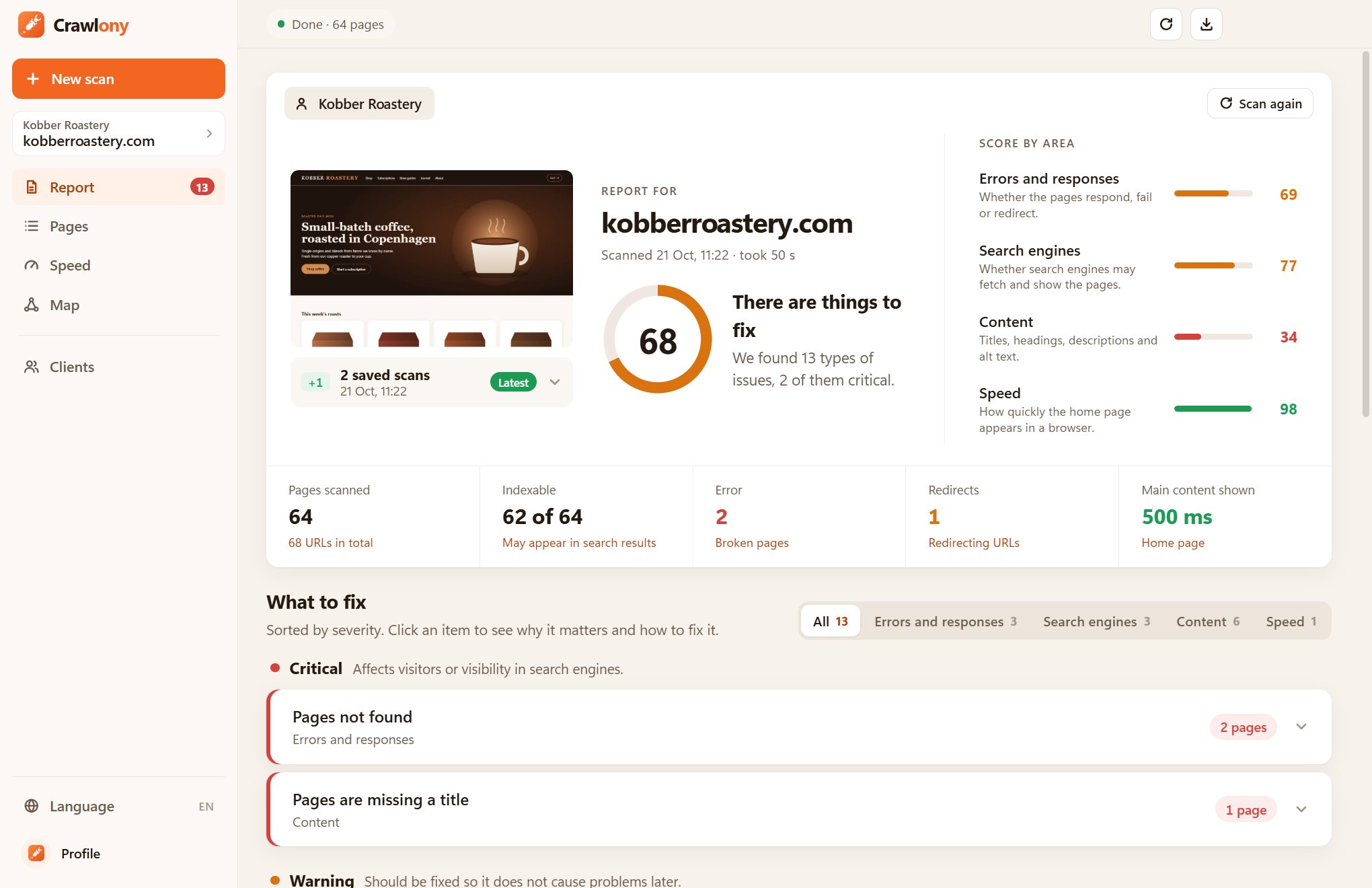
From the first page to the finished report. Crawlony finds the issues, sorts them and explains how to fix them.
23 kinds of problems sorted by severity, each with an explanation and a concrete fix.
The whole website's health in one number, split into errors, search engines, content and speed.
Measures when the main content appears in a real browser, so you see what your visitors see.
A polished report in English, German or Danish, ready to send on.
Follows links and sitemaps and checks every page, image, script and outgoing link.
Group websites under your clients and see whether the score goes up or down each time.
Audits run from your own computer, and your clients' data stays with you.
A technical SEO audit of the whole website, page by page, with an explanation for every finding.
Use your email. The account keeps track of your subscription and licence.
Buy the subscription and download Crawlony for Windows from your profile.
Sign in to the app with the same account, enter the address and get your first report.
No limit on clients or reports. Cancel any time.
$29 a month
Buy on your profile at crawlony.com or in the app.
Create an account at crawlony.com. Once you are signed in, you can download Crawlony for Windows on your profile.
Windows 10 or 11 (64-bit), Microsoft Edge, which comes with Windows, and an internet connection.
A licence works on one PC at a time. When you get a new PC, you can release the licence on your profile or move it straight from the app.
Audits and reports are stored on your own PC. We only keep your account and which PC the licence is activated on.
Sign in at crawlony.com and choose Manage subscription. It runs until the end of the period you have paid for.
Yes. New versions download in the background and install the next time you close Crawlony.
Create an account, download Crawlony and get your first report today.
Create account and download